A Suite · Offline · Single-HTML

Productivity tools, simple by design and safe by default.

Each PumaWorx app is a single HTML file you can read end to end: no install, no account, no outbound traffic. Small enough to audit, simple enough to trust — built for sensitive data, hardened environments, and anywhere you'd rather not pull in another cloud dependency. Your data lives in the browser. It stays there.

7 Apps
0 Servers
0 Accounts
1 HTML file each

In progress Renovations in progress

PumaWorx is undergoing a period of rapid transition. That is to say, I am actively canonizing my reused code bit by tiny bit, and you should know that I push to main and test in prod. If you find a bug, feel free to raise it on GitLab.

Principles

Built different than what you're used to.

Three rules every app in the suite follows. They're not optional — they're the reason PumaWorx exists.

01

Single file for portability

Each app is one HTML file. Drop it on a USB stick, install it as a PWA, save it to your downloads folder, archive it on a NAS. Wherever a browser runs, the app runs.

02

Offline for security

No outbound traffic means no exfiltration risk, no third-party SaaS to vet, no remote dependencies to compromise. The browser and the file are the entire trust boundary.

03

Vibecoded for fun

PumaWorx is a personal passion project and excuse to learn AI-accelerated development. Every app solves a real challenge I have.

The Suite

Seven offline apps. One philosophy.

Pick one. Use it standalone. Or use them together — they're designed to hand work off to each other through plain files.

01 Capture

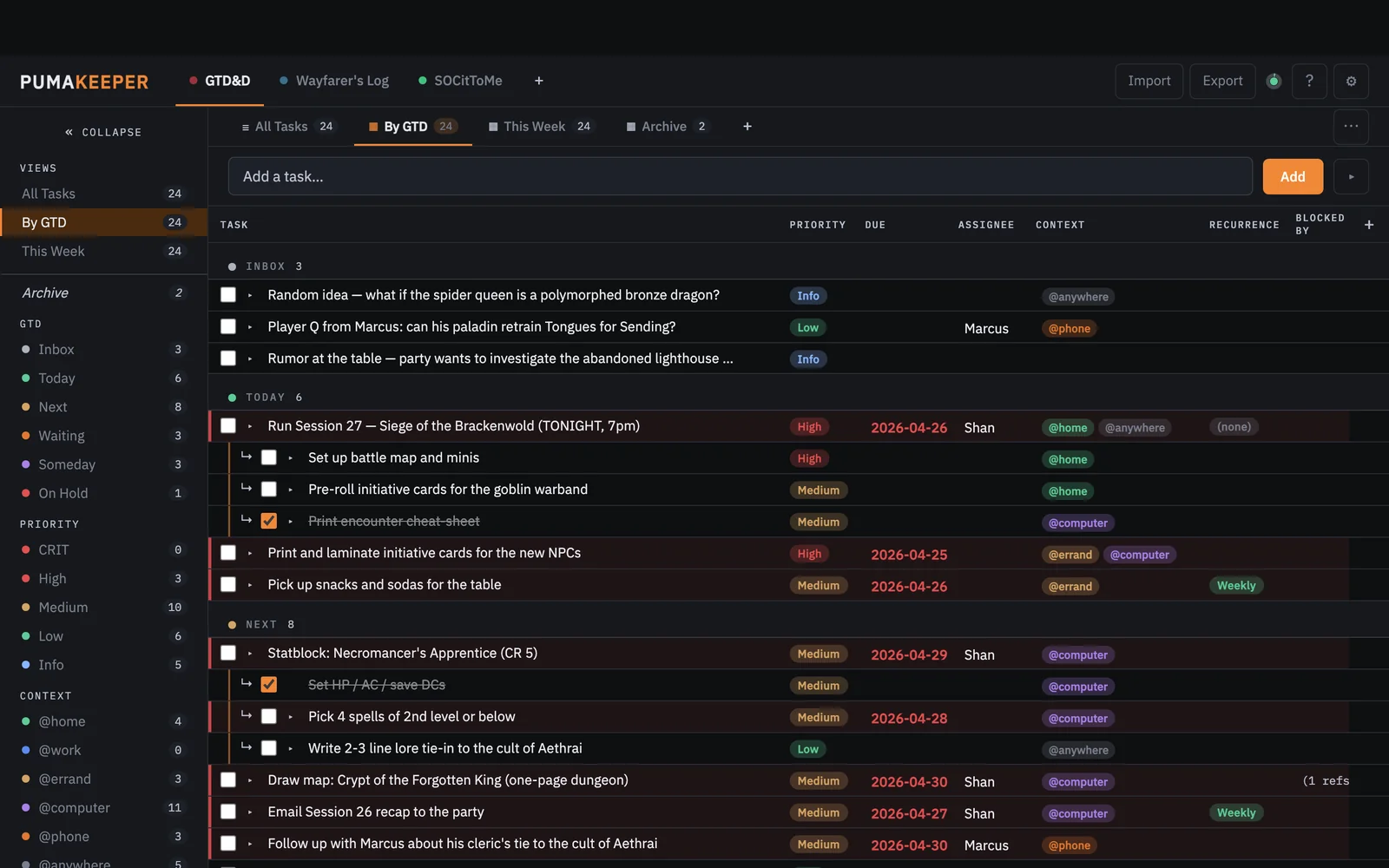
PumaKeeper

Schema-defined task tracker

An offline single-HTML task and reference manager. A fuller-featured successor to PumaTracker, with user-definable workspaces, schemas, and datasets. Runs in your browser or installs as a PWA.

  • User-definable workspaces and dataset schemas
  • Markdown task descriptions, labels, dates, checklists
  • Imports/exports cleanly to PumaBoard
pumakeeper.greykit.com
PumaKeeper screenshot

02 Visualize

PumaBoard

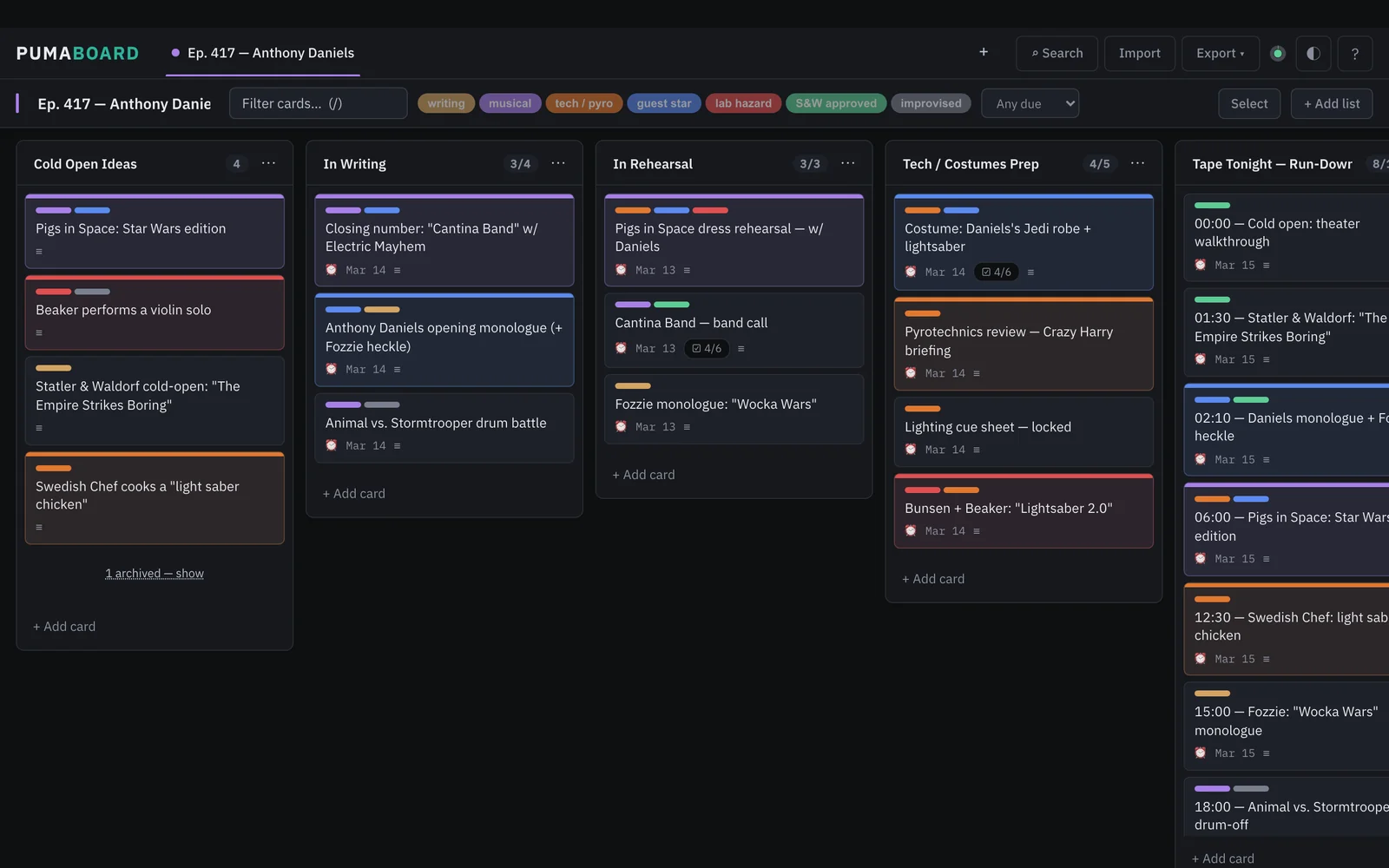
Drag-and-drop kanban

An offline single-HTML kanban board that roundtrips with PumaKeeper. Full markdown descriptions, labels, dates, and checklists travel between the two without a single API call.

  • Drag-and-drop columns, cards, and checklists
  • Two-way roundtrip with PumaKeeper datasets
  • Quick keyboard navigation and editing
pumaboard.greykit.com
PumaBoard screenshot

03 Write

PumaNoter

Hybrid markdown notetaker

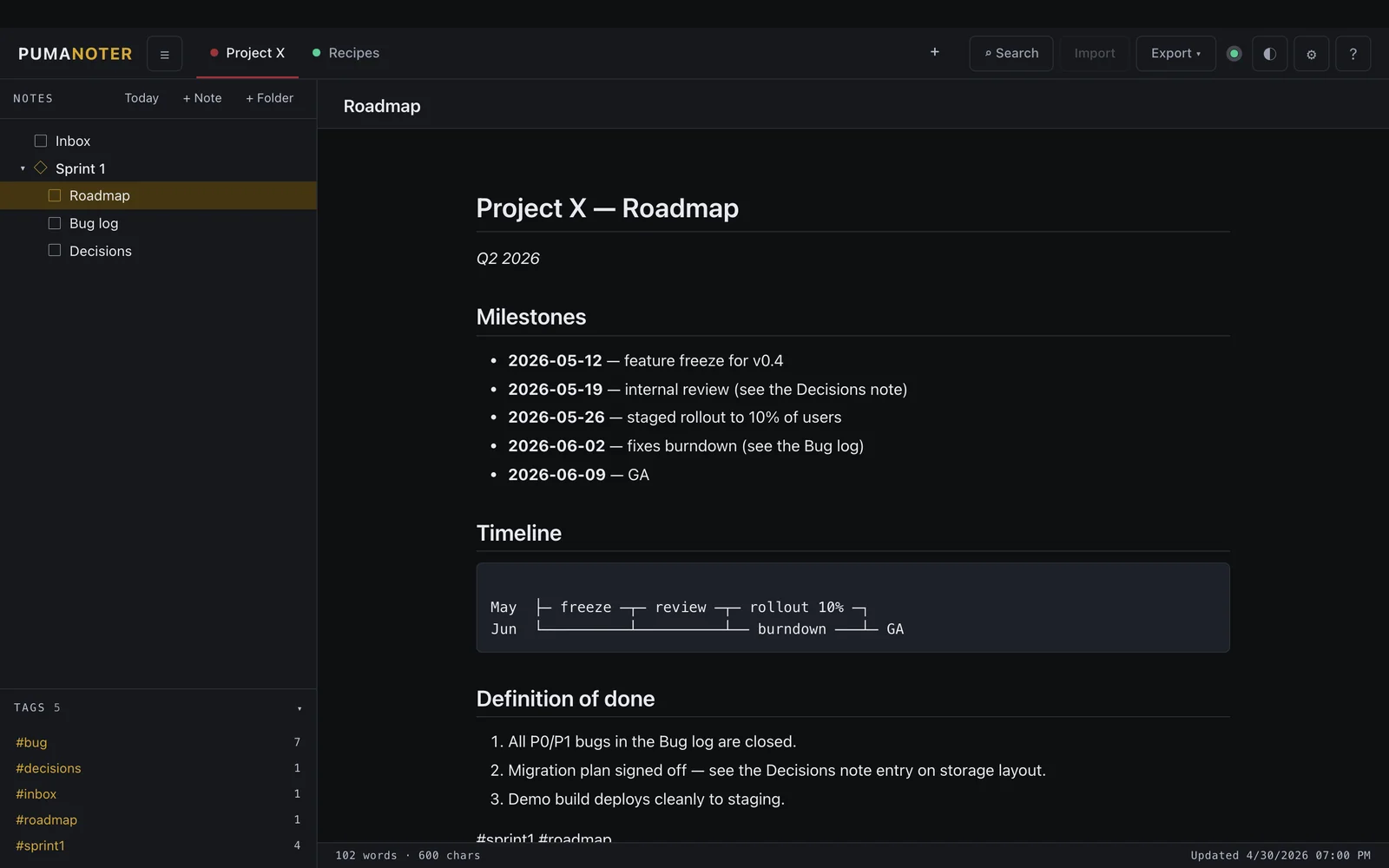
A WYSIWYG markdown editor with the feel of Obsidian — but it's one HTML file, no vault folder required. Hybrid rendering means you write in plain markdown and see formatted output inline.

  • Hybrid markdown: edit and preview in one view
  • Embed SVG/PNG from PumaFlow and PumaMapper
  • Lives entirely in your local browser
pumanoter.greykit.com
PumaNoter screenshot

04 Record

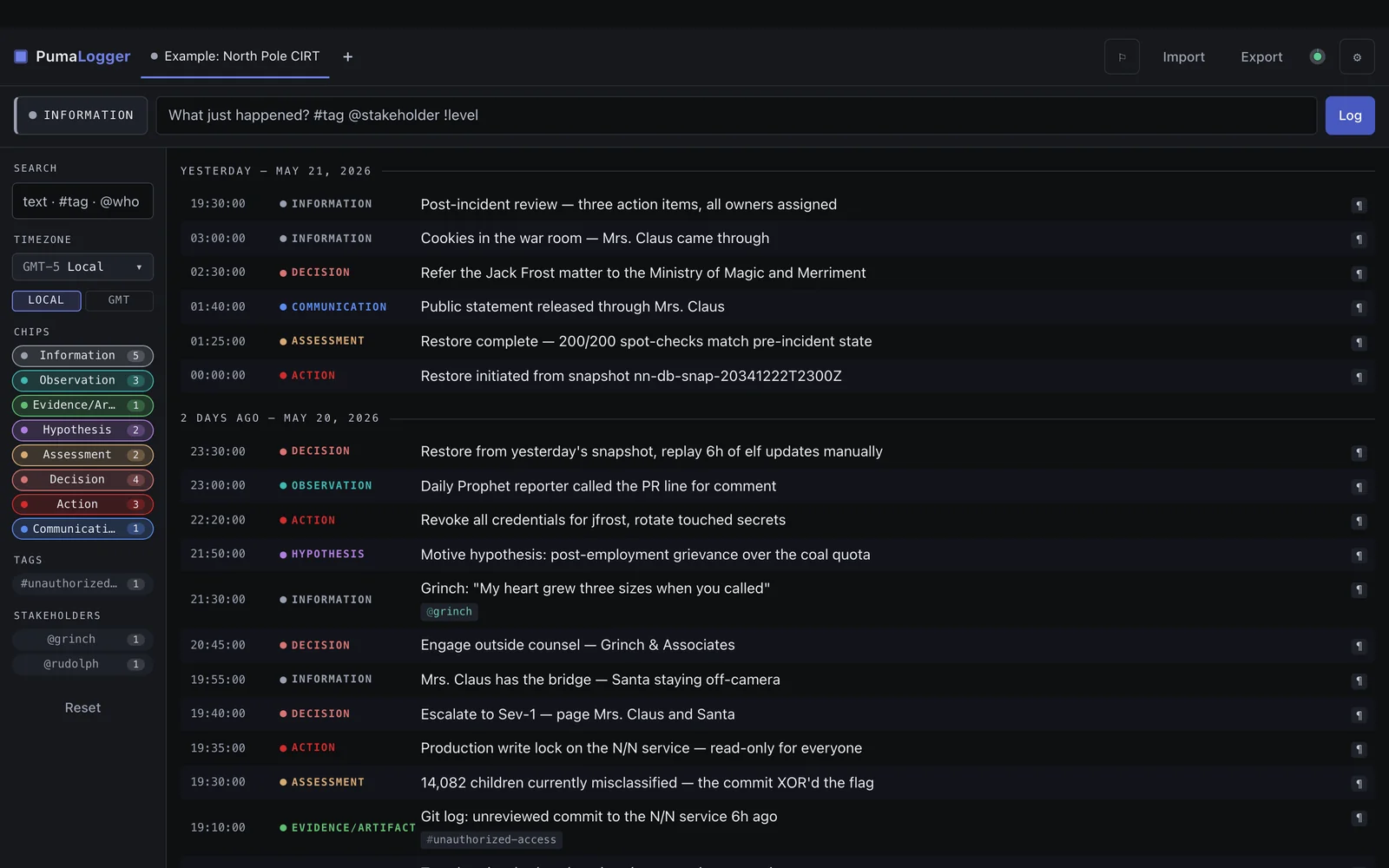
PumaLogger

Timestamped event log & timeline assembler

A handler's log built for incident response and after-action reporting. Capture events in real time, or assemble timelines from multiple time zones. Categorize, tag, and export views straight into your AAR.

  • Multi-timezone aware timeline assembly
  • Quick-tag and category filtering
  • Markdown export shaped for incident reports
pumalogger.greykit.com
PumaLogger screenshot

05 Brainstorm

PumaMapper

Mind mapper & outliner

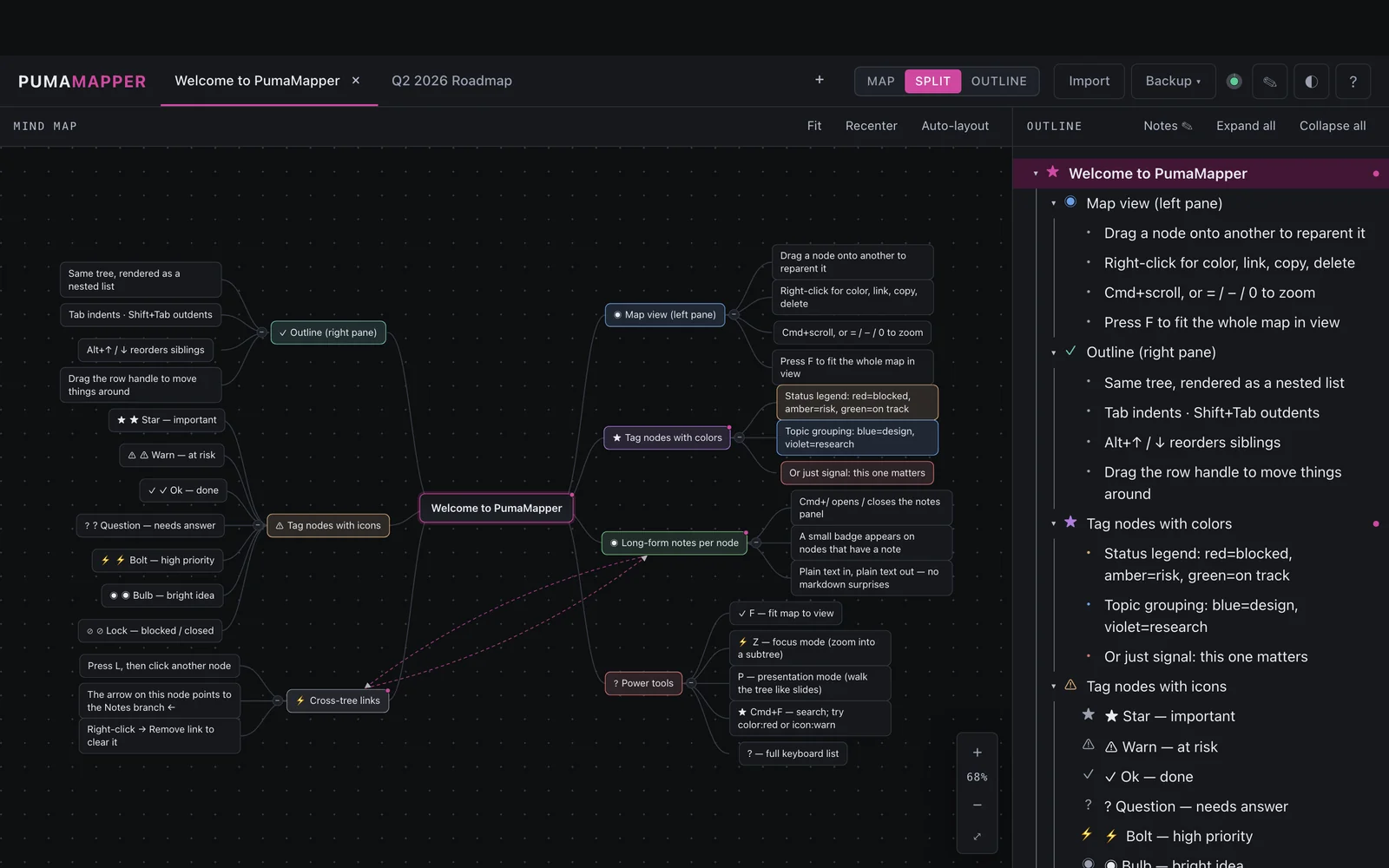
A single-HTML mind mapper and outliner. Brainstorm visually, then collapse the same data into a structured outline for transfer into PumaKeeper or PumaNoter.

  • Free-form visual canvas and outline view of the same tree
  • Export as SVG, PNG, or Markdown outline
  • Drops cleanly into PumaNoter or PumaFlow
pumamapper.greykit.com
PumaMapper screenshot

06 Diagram

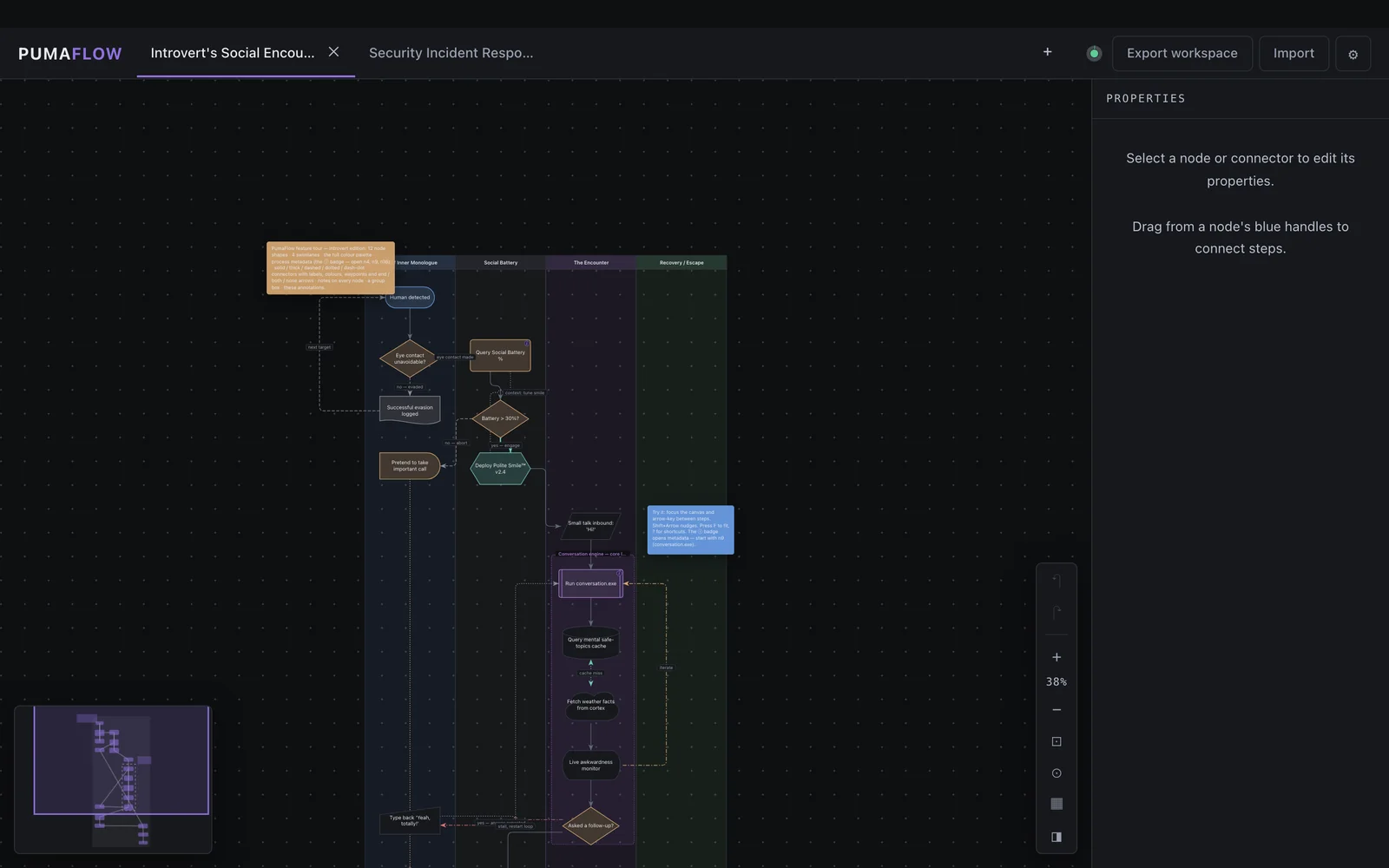
PumaFlow

Process flow designer

A single-HTML flowcharting app for process documentation. Design a workflow, export it as PNG, SVG, Mermaid, or Markdown — then embed it wherever you need it.

  • Drag, connect, and label process nodes
  • Exports PNG, SVG, Mermaid, and Markdown
  • Snapshots embed directly into PumaNoter
pumaflow.greykit.com
PumaFlow screenshot

07 Query

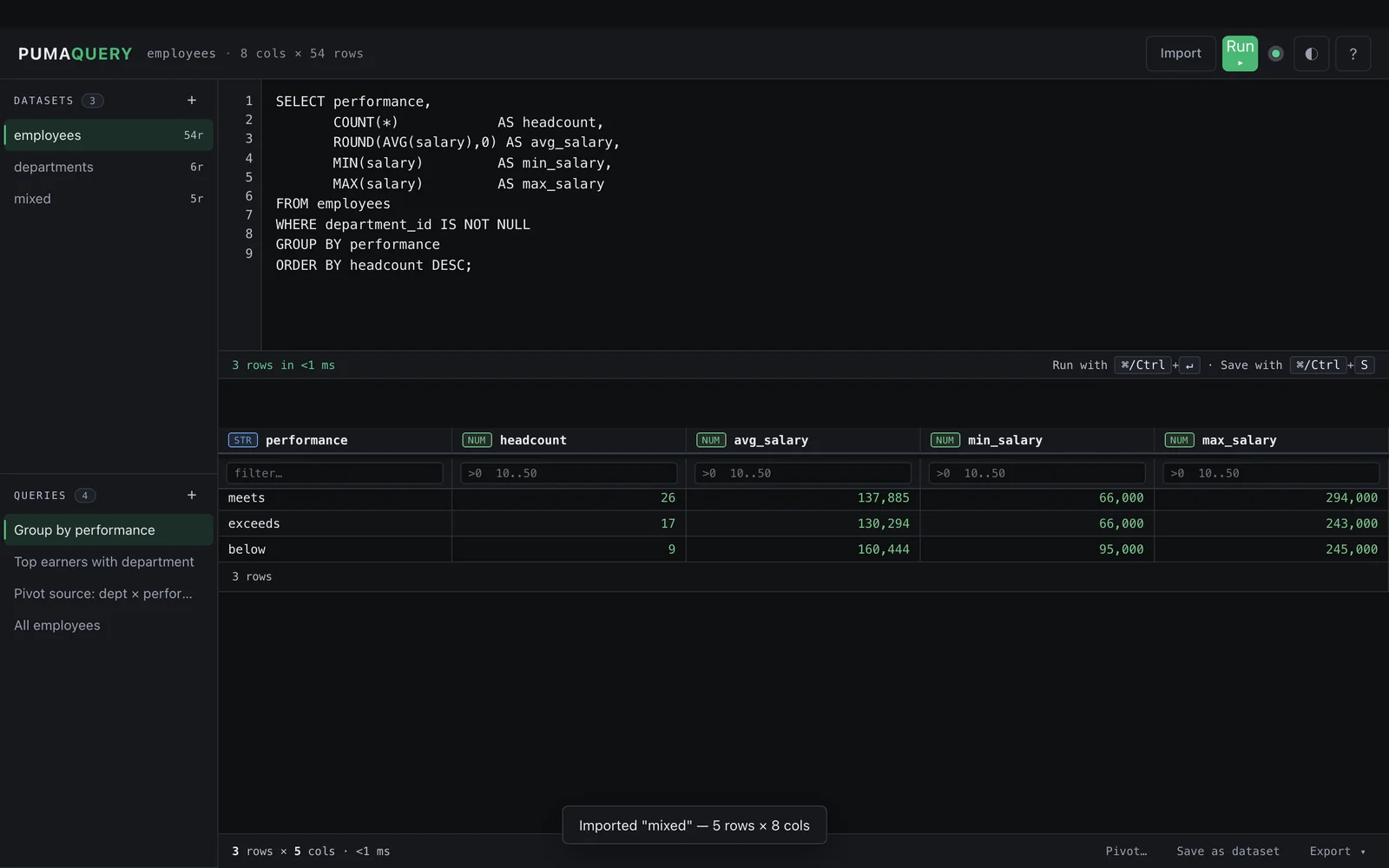
PumaQuery

SQL parser for JSON & CSV

An offline single-HTML SQL engine for the exports the rest of the suite produces. Drop in a JSON or CSV file, write SQL, get answers — no database server, no warehouse, no Python.

  • Standard SQL over local JSON and CSV files
  • Inspect any export from the rest of the suite
  • Self-contained — no runtime, no install
pumaquery.greykit.com
PumaQuery screenshot
Installation

Three ways to use any PumaWorx app.

Pick whichever fits how you work. They're all equally official and they all do the same thing.

STEP 01 · LIGHTEST

Open the live URL

Visit pumakeeper.greykit.com (or any other). The app loads. You're done. Browser caches the file — works offline after the first visit.

STEP 02 · PORTABLE

Save the HTML file

Right-click → Save Page As. You now have a portable, offline-forever copy. Open it from a USB stick, a sandboxed VM, an air-gapped laptop.

STEP 03 · POLISHED

Install as a PWA

Chrome/Edge: install icon in the address bar. Safari iOS: Share → Add to Home Screen. It's a desktop or phone app now, no app store involved.

About your data. By default, each app stores data in your browser's localStorage. That's per-browser and per-device. Use the built-in Export button (JSON, CSV, or Markdown depending on the app) any time you want a portable backup — or to hand the data to another app in the suite.
Open Source

Every app's source lives on GitLab.

PumaWorx is one person's labor of love. File issues, propose features, or just read the code. It's all there.